A WooCommerce store can look healthy at the front end while staff spend hours correcting orders, copying customer data, and working around checkout rules. Those manual fixes usually signal an operational gap in the build.
Custom WooCommerce development becomes worthwhile when the store needs a workflow, integration, or rule that off-the-shelf extensions cannot support reliably. Linzila approaches that decision from the business process outward: map the order journey first, then build only the functionality that removes a real constraint.
Quick answer: when to use custom WooCommerce development
Use this workflow to decide whether your store needs a custom build:
- Map the path from product selection through fulfilment, returns, and reporting.
- List every manual handoff, duplicate data entry, failed edge case, and customer-facing delay.
- Test whether one maintained extension covers each requirement without conflicting with the current stack.
- Define the rules that require custom code, including ownership, inputs, exceptions, and failure handling.
- Build and test the custom WooCommerce functionality in a staging environment before release.
- Document support, updates, monitoring, and a rollback plan for each custom component.
Signs your WooCommerce store needs custom development
The strongest signal is repeated human intervention. A member of staff may adjust an order before it reaches the warehouse, apply a trade discount from a spreadsheet, or rebuild invoices in another system. Each workaround adds delay and creates room for a costly mistake.
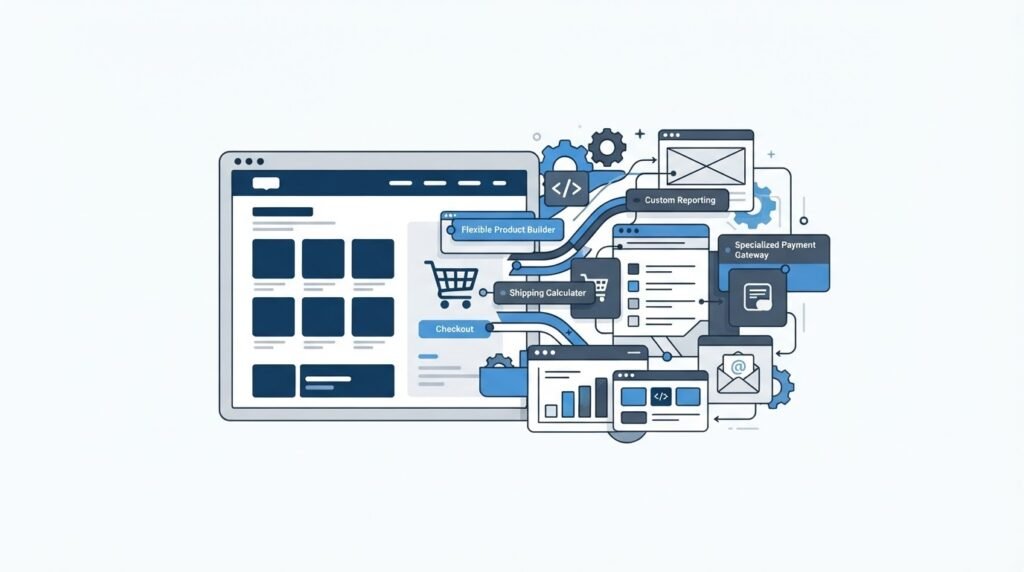
Custom development is also appropriate when several extensions touch the same order data. Plugins often work well individually, yet their hooks, checkout fields, scheduled tasks, and API calls can overlap. A store with five overlapping pricing or shipping extensions becomes hard to test after every update.
Look closely at these requirements:
- Different product, price, payment, or delivery rules for retail, trade, and approved-account customers.
- A connection to an ERP, CRM, inventory platform, carrier, accounting system, or product information system.
- Checkout fields that drive a real operational decision, such as a site-access code, purchase-order approval, or delivery slot.
- Product configurators, bundle logic, subscriptions, deposits, or quotes with business rules beyond standard product settings.
- Regional storefronts with translated catalogues, local tax treatment, distinct payment options, or country-specific delivery restrictions.
- Slow administration, unreliable stock updates, checkout errors, or a redesign that exposes deeper structural issues.
Start with evidence. Export the last 90 days of support tickets, failed orders, refund reasons, and manual order amendments. Group them by cause. This produces a much better development brief than a request for “more flexibility.”
For a broader review of whether the platform and site structure still fit the business, use Linzila’s WordPress website redesign services checklist.
How custom WooCommerce development works, step by step
1. Map the current order workflow
Follow one order from the product page to delivery confirmation. Include every person and system involved: customer, payment provider, warehouse, finance team, customer service, and reporting tool. Record the data created at each stage and the system that owns it.
Consider a hypothetical B2B parts retailer at parts-example.com. It sells spare parts to public customers and approved trade accounts. Trade buyers require a purchase-order reference, a delivery-site code, and payment terms. The existing store uses a role plugin, a form-field plugin, and a PDF invoice extension. Staff still copy order details into the ERP each afternoon.
The workflow review exposes a key issue. The ERP needs one validated delivery-site identifier, while the checkout allows free text. Staff correct that field on around a dozen orders each week. The development requirement becomes clear: retrieve the approved delivery sites for the logged-in account, require a selection at checkout, save the corresponding ERP identifier on the order, and send it with the order payload.
2. Decide whether an extension is genuinely suitable
Extensions are useful where the requirement matches their intended scope and where their maintenance record is strong. Check update frequency, WordPress and WooCommerce compatibility, support boundaries, data storage, and hooks for future changes. The WooCommerce extension documentation explains the support and documentation model that store owners should assess before adding an extension.
A single established extension may handle a straightforward need such as a supported payment method. Custom work becomes a stronger option when the requirement combines account data, conditional checkout behavior, ERP validation, and fulfilment status updates.
Use this comparison when choosing the delivery approach:
| Requirement | Standard extension is usually suitable when | Custom WooCommerce development is usually suitable when | Risk to manage |
|---|---|---|---|
| Payment method | The payment flow follows the provider’s supported checkout flow | Payment availability depends on account status, order approval, or internal credit rules | Failed or duplicate payment capture |
| Shipping | Zones, rates, and standard carrier labels meet the process | Rates depend on custom dimensions, delivery sites, contract terms, or live warehouse allocation | Incorrect delivery charge or unavailable service |
| Product options | Simple variants and add-ons are enough | Configuration changes pricing, lead time, production data, or stock allocation | Invalid combinations reaching fulfilment |
| ERP connection | A supported connector maps the required fields | The ERP has unique endpoints, approval logic, or bidirectional stock rules | Duplicate orders and stock mismatches |
| Trade accounts | Basic role pricing and registration fit the policy | Credit limits, account hierarchies, purchase orders, and multiple delivery sites apply | Unauthorized ordering or incorrect pricing |
3. Write rules before writing code
A developer needs more than a list of fields. Define each decision in plain language first. For the parts retailer, the rules might state that trade buyers can select only delivery sites assigned to their company, every trade order requires a purchase-order reference, and an ERP outage queues the order for retry while staff receive an alert.
Include exception paths. What happens when a delivery site is removed from the ERP? Can a customer edit an order after payment? Which system wins if stock differs between WooCommerce and the ERP? These decisions shape the architecture and protect the day-to-day team.
For integrations, use versioned API endpoints, structured logs, authentication with least-privilege access, and idempotency keys where the receiving system supports them. WordPress provides guidance on working with the REST API for custom endpoints and authenticated requests.
4. Build for the WordPress and WooCommerce update cycle
Custom functionality should sit in a purpose-built plugin or a carefully structured custom extension. Theme files suit presentation changes; operational logic needs a separate home so that a redesign does not disrupt order processing.
In the example, the delivery-site selector belongs in a custom plugin. It reads account data from the ERP, validates the selected site during checkout, stores a permanent order snapshot, and submits the order through a queued process. The snapshot matters because an ERP record can change after the customer has placed the order.
Keep custom code in source control. Use peer review, automated checks where practical, and clear release notes. WooCommerce’s developer documentation covers its extensibility model and is a useful reference when reviewing hooks, data handling, and compatibility.
5. Test real cases in staging
Test more than a successful order. Create scenarios for an expired trade account, a missing purchase-order reference, a discontinued product already in the cart, an ERP timeout, partial stock availability, a refund, and an order placed from a mobile device.
The parts retailer discovers during testing that guest checkout can add a product whose quantity has a trade-only minimum. That was missed because the original specification focused only on logged-in accounts. The fix belongs in the cart validation layer, before the customer reaches payment.
Run a production-like staging environment with a copy of settings and carefully protected test data. Ask warehouse and finance staff to test their own screens. Their feedback often exposes gaps that a front-end review misses.
Custom WooCommerce development for integrations and checkout changes
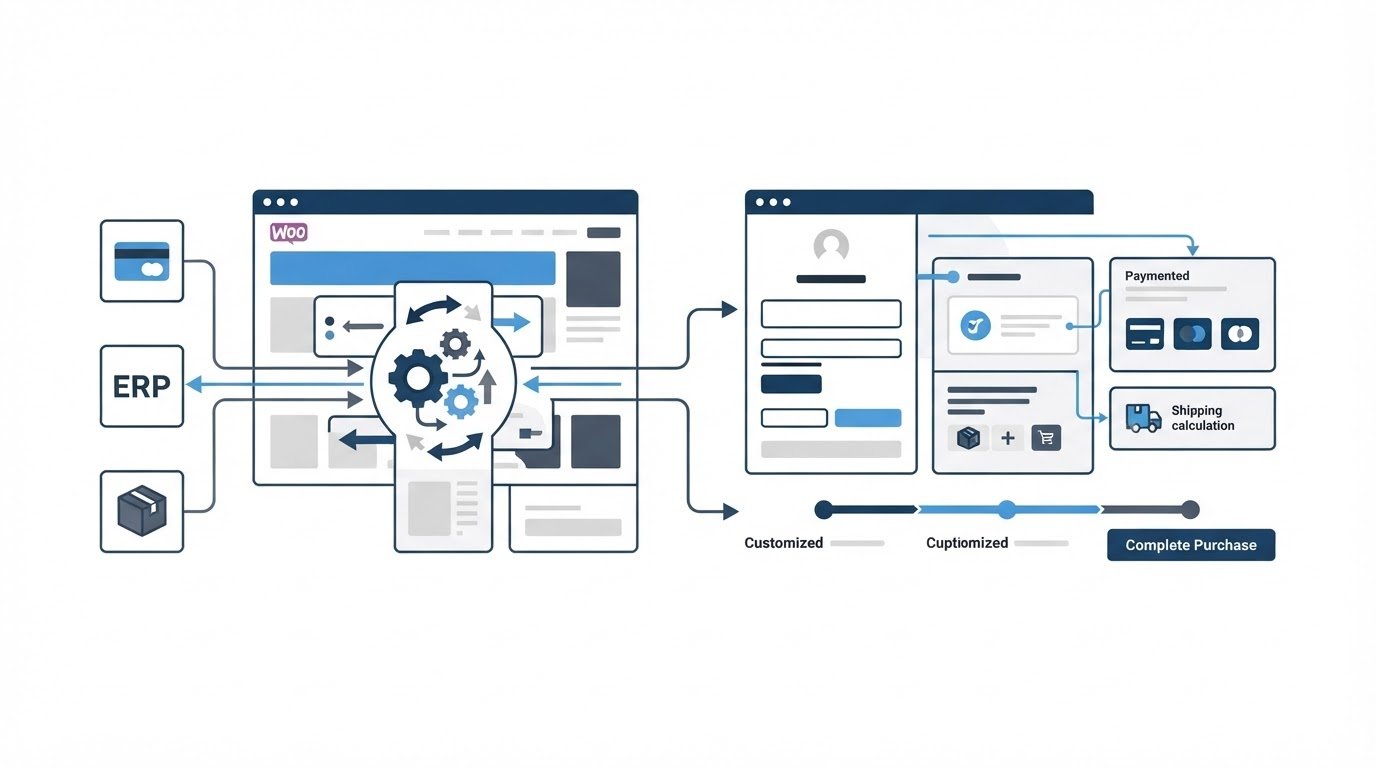
Checkout is where customer intent becomes an operational commitment. Every new field should either help the customer complete a valid purchase or give the business data it needs to fulfil the order. Decorative fields increase abandonment and complicate support.
For the example retailer, a good checkout change has three parts: the buyer selects an approved delivery site, the store validates it server-side, and the ERP receives its internal site ID. The visible name alone is insufficient because two sites could share similar labels.
Integration design needs equal care. Decide whether data flows in real time, on a schedule, or through a queue. Real-time stock availability can be useful for constrained inventory, while queued order transmission is often safer during a temporary ERP outage. The right choice depends on the cost of stale information, API limits, and recovery needs.
Multilingual and multi-region stores need the same level of planning. Product translations, legal copy, tax display, delivery promises, emails, and support workflows all need ownership. A translated interface without localized order rules can create confusion after checkout.
How Linzila turns store requirements into a maintainable build
A capable development partner removes guesswork from this process. Linzila starts by reviewing the commercial workflow and technical foundation, then turns the findings into a delivery plan that the store team can evaluate.
First, the discovery work identifies the points where customers or staff leave the intended process. For parts-example.com, that includes the free-text delivery site and the manual ERP entry.
Next, the scope separates configuration from custom work. Existing functionality stays where it is stable and supported. The delivery-site validation, account mapping, order snapshot, and queued ERP submission become a focused custom component.
Then the build is tested against the workflows that matter: trade checkout, ERP delay, order edits, refunds, stock changes, and WordPress updates. This approach helps protect the store during a high-performance web design project, where page speed and user experience can improve without putting order operations at risk.
Finally, the handover documents ownership and support. The store team knows where to find logs, how to identify a failed sync, and which changes need development review. Businesses choosing a long-term partner can also use Linzila’s guide on how to choose a WordPress development agency for a custom business website.
Common mistakes with custom WooCommerce development
A frequent mistake is replacing every plugin with bespoke code. That creates unnecessary maintenance obligations. Keep well-supported extensions for standard functions and reserve custom work for requirements with clear business value.
Another failure mode is placing critical logic only in the browser. Checkout values, pricing rules, permissions, and stock checks require server-side validation. A user can alter browser requests, and third-party scripts can fail.
Poor integration recovery is equally damaging. An order sent twice to an ERP can cause a duplicate shipment. Give every outbound event a unique identifier, record the response, and make retries safe.
Avoid a redesign that changes templates while leaving fragile product data and integrations untouched. Review the platform as a working system. If you are assessing a new site alongside store requirements, Linzila’s article on whether your company should get a website helps frame the business goals before design decisions begin.
FAQ about custom WooCommerce development
How do I know whether a WooCommerce plugin will be enough?
Test the extension against your full workflow, including updates, refunds, unusual customer types, reporting, and integration failures. Read its documentation, inspect how it stores data, and test it in staging with the other extensions already installed. A short proof of concept can expose conflicts early.
Can custom WooCommerce development improve checkout conversion?
It can reduce friction when it removes unnecessary steps or ensures buyers see valid options at the right time. Measure completion rate, validation errors, payment failures, and time to complete checkout before and after the change. Keep essential operational fields, then make their purpose clear.
How long does a custom WooCommerce integration take?
Timing depends on the API quality, data rules, testing cases, and systems involved. A narrowly defined checkout validation can move quickly. An ERP connection with product, stock, customer, order, refund, and fulfilment synchronization needs discovery and staged testing before release.
Will custom WooCommerce code survive WordPress updates?
Well-structured code can be maintained through updates when it follows documented APIs, stays separate from theme presentation, and has a tested release process. Plan regular compatibility reviews whenever WordPress, WooCommerce, payment providers, or connected systems release major changes.
Should I redesign my WooCommerce store before adding custom functionality?
Sequence the work around risk. Stabilize critical order, payment, and fulfilment rules first when the current store has operational failures. A design project can then use the reliable functionality as its foundation. Combine both streams when the redesign itself requires new product or checkout behavior.
Custom WooCommerce development earns its place when it makes an important business process accurate, faster, and easier to support. Start with the workflow evidence, specify the rules, and build a contained solution with a clear owner. For a store that has outgrown its extension stack, Linzila can assess the process and define the work required for a dependable next release.